Zero-Friction Terminal Sessions: sesh and tmux in My Daily Workflow

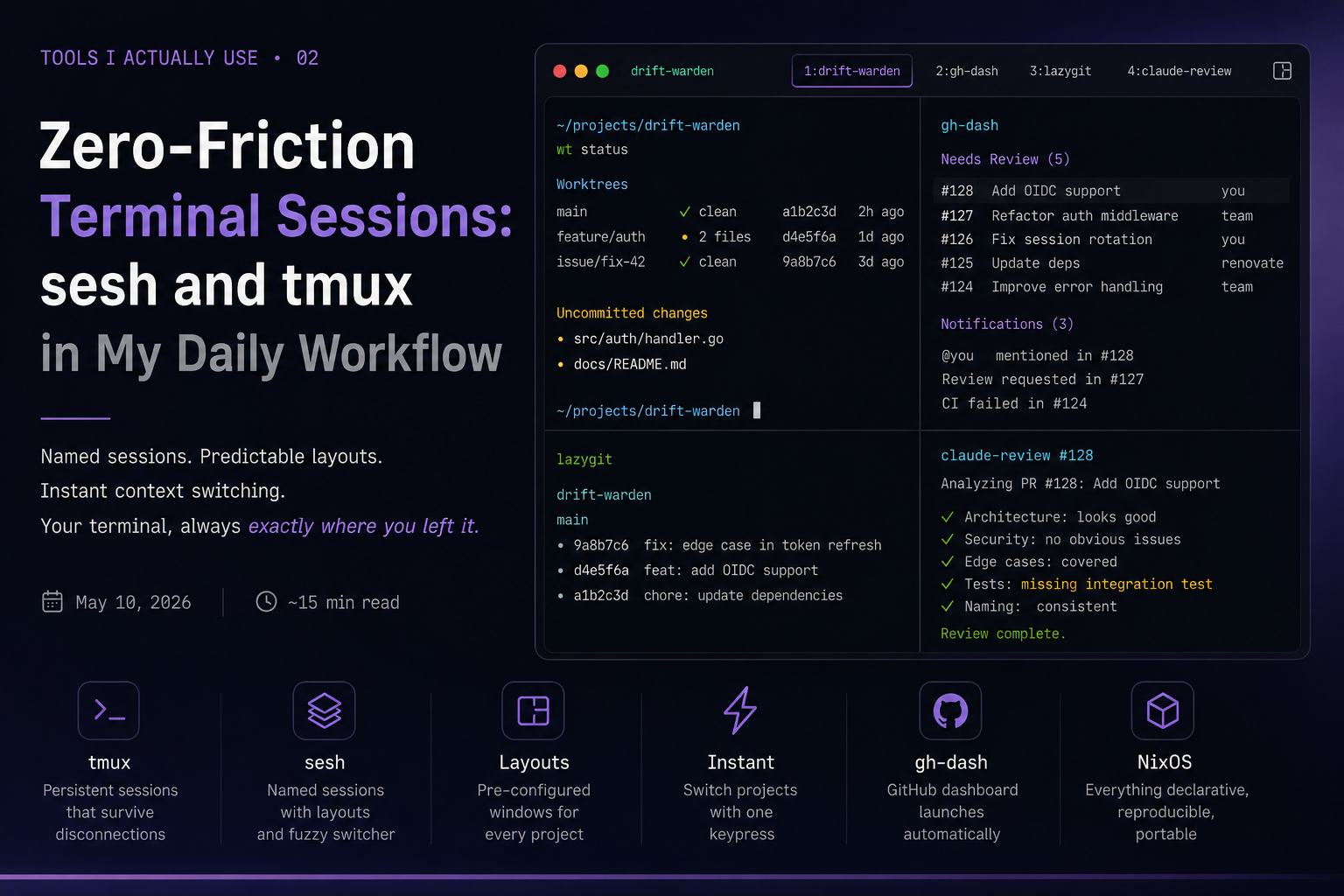
TL;DR: tmux is the terminal multiplexer that keeps sessions alive, splits your screen, and survives connection drops. sesh is the session manager layered on top: it brings named sessions, pre-configured window layouts, and fuzzy-finding to make “switch to project X” a single keypress. Together they eliminate the question “where was I?” - every project gets its own session, every session has a predictable layout, and gh-dash launches automatically. The entire stack is declared in NixOS Home Manager.
In the previous post, sesh appeared as the thing that auto-launches gh-dash when you switch projects. That was the tip of the iceberg. sesh and tmux are the load-bearing infrastructure of my terminal workflow - everything else (neovim, lazygit, gh-dash) runs inside them. This post covers how they’re configured and why the combination works.
The Problem With Ad-Hoc Session Management
Before sesh, my tmux usage looked like most developers’: manually typed tmux new-session -s project-name, ran whatever commands I needed, and relied on muscle memory to navigate between sessions. The problems accumulated gradually.
Session names drifted - the same project might be warden, drift, drift-warden, or dw depending on which day I created it. New sessions always started empty. I’d open a session, then manually launch neovim, then open lazygit in a split, then remember I need gh-dash. Every project bootstrap was a sequence of keystrokes I had memorized but never documented.
The deeper issue is cognitive: an ad-hoc session is a state you have to rebuild from memory. A configured session is a reproducible environment. The former gets worse when you’re busy; the latter is always the same.
tmux: The Foundation
tmux is a terminal multiplexer - it runs a server process that manages multiple terminal sessions, each containing windows (tabs), each window containing panes (splits). The key property is that tmux sessions are persistent: they outlive your terminal emulator and survive SSH disconnections. tmux attach brings you back to exactly where you left off.
The Session → Window → Pane Hierarchy
Understanding this hierarchy is important before getting into sesh, because sesh abstracts over it:
tmux server
└── session: drift-warden          # named workspace
    ├── window 1: drift-warden     # main coding window
    │   └── pane 0: shell
    ├── window 2: gh-dash          # GitHub dashboard
    │   └── pane 0: gh dash
    └── window 3: lazygit          # (opened on demand via gh-dash keybinding)
        └── pane 0: lazygit
Sessions are the top-level containers. You attach to a session and get all its windows back. You can have multiple tmux clients attached to the same session simultaneously - useful for different monitor layouts or screen sharing.
Windows are what most people call tabs. Each has a name and a number. Window numbers persist across sessions; base-index 1 means window numbering starts at 1, which aligns Alt+1 through Alt+5 keybindings with the window you actually see.
Panes are splits within a window. A single window can be split horizontally or vertically into multiple panes, each running its own shell.
The Client-Server Architecture
When you run tmux, you start a server (tmux server) that manages all sessions, plus a client that attaches to it. The server stays running until the last session is explicitly killed or the server crashes. This is why tmux attach works after your SSH connection drops - the server never stopped.
terminal emulator → tmux client → tmux server → sessions
                                              ↗
another terminal → another client ──────────
The server lives at a socket, typically /tmp/tmux-$UID/default. You can run multiple servers with different sockets (tmux -L workserver new-session) for isolation, but for daily use a single server is fine.
My Prefix: C-a
The default tmux prefix is C-b (Ctrl-B). I use C-a (Ctrl-A), the GNU Screen default. The reason is practical: C-b is the backward-char binding in readline and a frequently useful key in Vim’s normal mode. C-a conflicts less with default shell keybindings in Vim mode (it does move to line start in readline, but I run zsh with vi mode so this rarely fires).
Everything tmux-related starts with C-a:
| Keybinding | Action |
|---|---|
| C-a T | Open sesh session switcher (fzf popup) |
| C-a L | Jump to last sesh session (sesh last) |
| C-a H | Previous window |
| C-a h / j / k / l | Navigate panes (Vim directions) |
| C-a s | Split pane horizontally |
| C-a v | Split pane vertically |
| C-a z | Toggle pane zoom |
| C-a c | Kill current pane |
| C-a K | Clear current pane (send-keys “clear”) |
| C-a p | Open floax floating terminal |
| C-a S | Built-in session chooser |
| C-a [ | Enter copy mode (Vi keybindings) |
| C-a ^D | Detach from session |
Two non-obvious bindings worth flagging upfront. C-a L is not “next window” - it runs sesh last, which switches to the previously active session. And C-a K clears the current pane (send-keys “clear”), which is useful but easy to confuse with a session action.
Configuration: tmux.conf
My full tmux configuration is managed by Home Manager’s programs.tmux module. Here’s the annotated extraConfig:
# Status bar
set -g status on
set -g status-position top
set -g status-interval 2

# Terminal colors - 256color + TrueColor for Neovim and image rendering
set -as terminal-features ",xterm-256color:RGB"
set -as terminal-features ",xterm-ghostty:RGB"
set -ag terminal-overrides ",xterm-256color:Tc"
set -ag terminal-overrides ",tmux-256color:Tc"
set -ag terminal-overrides ",xterm-ghostty:Tc"
set-environment -g COLORTERM truecolor
set -g allow-passthrough on    # required for image rendering (e.g. chafa, wezterm inline images)

# Don't exit tmux when the last window in a session is closed - switch to another session
set -g detach-on-destroy off

# Window management
set -g renumber-windows on
set -g set-clipboard on

# Pane borders
set -g pane-active-border-style 'fg=magenta,bg=default'
set -g pane-border-style 'fg=brightblack,bg=default'

# Rename window interactively
bind r command-prompt -p "rename window:" "rename-window '%%'"

# Session management
bind ^X lock-server
bind ^C new-window -c "$HOME"
bind ^D detach
bind S choose-session
bind K send-keys "clear" \; send-keys "Enter"    # clear pane

# sesh integration
bind -N "last-session (sesh) " L run-shell "sesh last"
bind-key "T" run-shell "sesh connect \"$(
  sesh list --icons | fzf-tmux -p 80%,70% \
    --no-sort --ansi --border-label ' sesh ' --prompt '⚡  ' \
    --header '  ^a all ^t tmux ^g configs ^x zoxide ^d tmux kill ^f find' \
    --bind 'tab:down,btab:up' \
    --bind 'ctrl-a:change-prompt(⚡  )+reload(sesh list --icons)' \
    --bind 'ctrl-t:change-prompt(🪟  )+reload(sesh list -t --icons)' \
    --bind 'ctrl-g:change-prompt(⚙️  )+reload(sesh list -c --icons)' \
    --bind 'ctrl-x:change-prompt(📁  )+reload(sesh list -z --icons)' \
    --bind 'ctrl-f:change-prompt(🔎  )+reload(fd -H -d 2 -t d -E .Trash . ~)' \
    --bind 'ctrl-d:execute(tmux kill-session -t {2..})+change-prompt(⚡  )+reload(sesh list --icons)' \
    --preview-window 'right:55%' \
    --preview 'sesh preview {}'
)\""

# Window navigation
bind H previous-window

# Pane navigation (Vim directions)
bind h select-pane -L
bind j select-pane -D
bind k select-pane -U
bind l select-pane -R

# Pane resize
bind -r , resize-pane -L 20
bind -r . resize-pane -R 20
bind -r - resize-pane -D 7
bind -r = resize-pane -U 7

# Pane management
bind c kill-pane
bind x swap-pane -D
bind z resize-pane -Z

# Splits inherit current pane's path
bind s split-window -v -c "#{pane_current_path}"
bind v split-window -h -c "#{pane_current_path}"

# Vi copy mode
bind-key -T copy-mode-vi v send-keys -X begin-selection
bind-key -T copy-mode-vi y send-keys -X copy-pipe-and-cancel
A few settings deserve explanation.
detach-on-destroy off: By default, when you kill the last window in a session, tmux exits the client entirely. With this off, it switches you to the next available session instead. This is important when you’re bouncing between multiple project sessions - killing a window in one session doesn’t eject you from tmux.
allow-passthrough on: Enables passthrough escape sequences. Required for image rendering in the terminal (tools like chafa, or Ghostty’s native image protocol). Without it, image data sent by apps gets intercepted and corrupted by tmux.
set-clipboard on: Tells tmux to use the OSC 52 clipboard protocol, which lets it read from and write to the system clipboard directly over SSH connections - useful when sshing into a remote machine and wanting copy-paste to work with your local clipboard.
Plugins via Nix
With Nix, plugins are declared rather than installed through TPM:
plugins = with pkgs.tmuxPlugins; [
  {
    plugin = catppuccin;
    extraConfig = ''
      set -g @catppuccin_flavor "macchiato"
      set -g @catppuccin_window_status_style "rounded"
      set -g @catppuccin_status_background "default"
      set -g @catppuccin_window_text " #W"
      set -g @catppuccin_window_current_text " #W"
      set -g @catppuccin_date_time_text " %d/%m %H:%M"
    '';
  }
  sensible
  yank
  resurrect
  continuum
  tmux-thumbs
  tmux-fzf
  fzf-tmux-url
  tmux-floax
];
The plugins:
catppuccin - status bar theme. macchiato flavor is consistent with the rest of my tooling (Neovim, Mermaid diagrams in this blog). window_text = " #W" shows window names with a Nerd Font icon prefix.
resurrect + continuum - persist and automatically restore sessions across reboots. resurrect handles manual save/restore (C-a C-s / C-a C-r); continuum wraps it with automatic saves. @resurrect-strategy-nvim 'session' tells resurrect to restore Neovim’s session alongside the tmux session.
yank - propagates copy-mode selections to the system clipboard (pbcopy on macOS, wl-copy/xclip on Linux). With @yank_with_mouse on and @yank_selection_mouse 'clipboard', mouse selection also copies to clipboard automatically.
tmux-thumbs - press C-a Space in any pane to enter thumbs mode. Every string that looks like a path, URL, hash, or IP gets labeled with a letter; press the letter to yank it. Zero finger movement to copy a file path from a stack trace.
tmux-fzf - provides C-a F as a built-in fzf interface over sessions, windows, panes, and commands. I use it less since C-a T covers the session switching case, but it’s useful for jumping to a specific pane across all sessions.
fzf-tmux-url - C-a U opens a fzf picker over all URLs visible in the current pane. Select one to open it in the browser. Useful for opening links from stack traces, log output, or compiler errors without touching the mouse.
tmux-floax - floating terminal overlay, bound to C-a p. A persistent shell pops up over the current window - run a quick command and it disappears. Configured to inherit the current pane’s path (@floax-change-path ‘true’), so you land in the right directory.
sesh: The Session Manager
sesh is a CLI tool by Josh Medeski that manages tmux sessions. Written in Go, configurable in TOML, integrating with fzf, zoxide, and fd. The core idea: instead of typing tmux commands, you type sesh connect <name> and everything is ready.
What sesh Does That tmux new-session Doesn’t
tmux new-session -s my-project -c ~/projects/my-project creates a session at a path. But it’s stateless - tomorrow you start fresh. You have to remember the command, and once you’re in, you manually open your tools.
sesh solves three distinct problems:
-
Named session registry: sesh knows your sessions by name. sesh connect drift-warden always maps to the same definition - same path, same startup commands, same window layout. The name is stable.
-
Idempotent connect: If the session already exists, sesh connect attaches to it. If it doesn’t, it creates it. You don’t need
tmux attach -t name 2>/dev/null || tmux new-session -s name -c pathin your muscle memory. -
Window templates: sesh defines named windows as mini-templates and references them by name in session definitions. One gh-dash window definition, used in every project session.
The comparison with alternatives is worth a moment. tmuxinator and tmuxp solve a similar problem with YAML session definitions, but both generate tmux commands at startup time - they can’t attach to an existing session, they recreate it. Running tmuxinator start project when the session already exists opens a duplicate. sesh’s attach-or-create behavior eliminates this problem entirely.
The Config Model
sesh’s config is TOML at ~/.config/sesh/sesh.toml. The config has two top-level arrays: window and session.
Window definitions are templates for individual tmux windows:
[[window]]
name = "lazygit"
startup_script = "lazygit"

[[window]]
name = "gh-dash"
startup_script = "gh dash"

[[window]]
name = "actions"
startup_script = "gh enhance"
Session definitions map names to paths and window layouts:
[[session]]
name = "nixos-config"
path = "~/nixos-config"
startup_command = "wt status"

[[session]]
name = "drift-warden"
path = "~/projects/drift-warden"
startup_command = "wt status"
windows = ["gh-dash"]

[[session]]
name = "mistwolf-tech"
path = "~/projects/mistwolf-tech"
startup_command = "wt status"
windows = ["gh-dash"]
When you run sesh connect drift-warden:
- sesh checks whether a tmux session named drift-warden already exists
- If yes: tmux switch-client -t drift-warden (attaches or switches, zero overhead)
- If no: creates the session at ~/projects/drift-warden, runs wt status in window 1, then creates window 2 named gh-dash running gh dash
Note that nixos-config has no windows array - just the main window with wt status. Not every session needs gh-dash.
startup_command vs startup_script
startup_command runs in window 1 of the session as the initial command. If it exits (like wt status, which prints a status summary and returns), the shell prompt appears in the right directory. If it’s a persistent TUI, it runs until you quit it.
startup_script (used in [[window]] definitions) populates an additional window. The script runs as the persistent process for that window - closing it is equivalent to closing the window.
The distinction matters for session design. Window 1 with wt status as startup_command gives you an overview and leaves you at a prompt - you can run any command from there. The gh-dash window with startup_script = “gh dash” is always occupied by the TUI; quitting gh-dash closes the window.
sesh list: The Full Session Inventory
sesh list --icons aggregates several sources into a single stream (with Nerd Font icons for visual grouping):
$ sesh list --icons
 drift-warden          # running tmux session
 mistwolf-tech         # running tmux session
 nixos-config          # config-defined (not running)
 ~/projects/wostal-eu  # from zoxide (frequently visited)
 ~/notes               # from zoxide
The merged output includes:
- Running tmux sessions (exist already, attach-only)
- Config-defined sessions (in sesh.toml, created on connect)
- zoxide high-frequency directories (no definition, creates a bare session at that path)
Filter flags: sesh list -t (tmux only), sesh list -c (config only), sesh list -z (zoxide only). The blacklist setting in the config excludes sessions from the list entirely - useful for ephemeral or internal sessions you don’t want cluttering the switcher.
The Fuzzy Switcher: C-a T
The single most useful sesh integration is C-a T - the fzf popup session switcher. I covered the full command in the tmux.conf section; here’s what it does in practice.
fzf-tmux -p 80%,70% opens fzf as a popup overlay floating over the current window. Esc dismisses it without switching. Type to filter, Enter to connect.
The —preview ‘sesh preview {}’ flag is a detail worth highlighting: the right panel of the popup shows a live preview of the selected session. For running sessions, it shows the current pane contents. For config-defined sessions that don’t exist yet, it shows the session definition. For zoxide entries, it shows a directory listing. You can evaluate what you’re about to switch into without actually switching.
The —bind flags create filter mode switches within fzf:
| Key | Mode | Source |
|---|---|---|
| Ctrl-a | All (default) | All three sources merged |
| Ctrl-t | Tmux | Running sessions only |
| Ctrl-g | Configs | sesh.toml definitions only |
| Ctrl-x | Zoxide | High-frequency directories only |
| Ctrl-f | Find | fd directory scan of ~ (2 levels deep) |
| Ctrl-d | Kill | Kill selected session and reload list |
The Ctrl-d kill binding uses execute(tmux kill-session -t {2..}) rather than {} - the {2..} strips the icon and whitespace prefix from the selected line before passing it to tmux, since sesh list —icons prepends Nerd Font characters to each entry.
Ctrl-f is the escape hatch for new projects: it runs fd -H -d 2 -t d -E .Trash . ~, finding all directories up to 2 levels deep under ~. A freshly cloned repository that zoxide hasn’t seen yet will appear here.
There’s also a complementary binding: C-a L runs sesh last, which jumps to the previously active session. This is the fastest way to bounce between two sessions - no filtering needed.
zoxide Integration
sesh uses zoxide as a source for session candidates. zoxide tracks directory visit frequency and recency. When you’ve been working in ~/projects/drift-warden for weeks, zoxide ranks it highly and it appears prominently in sesh list -z.
The practical effect: even projects without a sesh config definition appear in the switcher if you’ve visited them recently. You get structured layouts for defined sessions and frictionless access to everything else.
For zoxide to integrate with sesh, you need it initialized in your shell. In Nix:
programs.zoxide = {
  enable = true;
  enableZshIntegration = true;
};
This adds eval ”$(zoxide init zsh)” to .zshrc, which replaces cd with z and builds the frequency database.
Session Persistence With tmux-continuum
When continuum saves session state, it captures:
- All session names and working directories
- All window layouts (names, counts, splits)
- Pane scrollback contents
- Neovim session state (via
@resurrect-strategy-nvim 'session')
After a reboot, tmux-continuum re-creates sessions automatically when tmux starts. sesh definitions and resurrect state are complementary: sesh defines the canonical layout (what a fresh session looks like), resurrect restores the last state (what you were actually doing). If resurrect has a saved state for a session, it wins on restore. If not - first boot, or after tmux kill-server - sesh provides the template.
The Full Stack Integration
Here’s what a complete project switch looks like:
C-a T               # open sesh popup overlay (80%×70%)
type "warden"       # fuzzy match drift-warden, preview shows session state
Enter               # sesh connect drift-warden
What sesh does on first connect:
- Creates tmux session drift-warden at ~/projects/drift-warden
- Window 1: runs wt status, leaves shell prompt at project root
- Window 2: opens gh dash (persistent TUI, scoped to the current repo)
What you see:
tmux session: drift-warden
├── window 1: drift-warden   [shell at ~/projects/drift-warden]
└── window 2: gh-dash        [gh-dash TUI]
From gh-dash (covered in Tools 01), pressing g opens lazygit in a new window, C opens a Claude Code review session, T opens gh-enhance for CI logs. These appear as additional windows in the same session:
tmux session: drift-warden (mid-review)
├── window 1: drift-warden   [shell]
├── window 2: gh-dash        [GitHub dashboard]
├── window 3: lazygit        [opened via g]
└── window 4: claude review  [opened via C]
Switch between them with C-a H (previous) or Alt+1 through Alt+4 (direct). Jump back to the last session with C-a L.
graph TD
    A["C-a T"] --> B["fzf-tmux popup\nsesh list --icons\n+ sesh preview"]
    B --> C["select: drift-warden"]
    C --> D{session exists?}
    D -->|yes| E["tmux switch-client\n(instant)"]
    D -->|no| F["sesh create session"]
    F --> G["window 1: wt status\n→ shell prompt"]
    F --> H["window 2: gh dash\n→ TUI running"]
    H --> I{keypress in gh-dash}
    I -->|g| J["window N: lazygit"]
    I -->|C| K["window N: claude review"]
    I -->|T| L["window N: gh enhance"]
wt: The Worktree Manager
The wt status command that appears as the session startup is a wrapper around git worktree that I use for branch management. I’ll cover it in a dedicated post in this series. The relevant detail here: it shows the current worktree state (which branches are checked out, uncommitted changes, last commit per worktree) and exits, leaving you at a shell prompt in the right directory.
The reason it’s the startup command rather than, say, nvim . is flexibility: wt status gives you an orientation view and then gets out of the way. You can open neovim, check git log, run tests, or anything else from there.
The Full Nix Declaration
The complete tmux + sesh configuration in modules/shared/home-manager.nix:
programs.tmux = {
enable = true;
prefix = "C-a";
baseIndex = 1;
historyLimit = 1000000;
escapeTime = 0;
keyMode = "vi";
terminal = "tmux-256color";
plugins = with pkgs.tmuxPlugins; [
{
plugin = catppuccin;
extraConfig = ''
set -g @catppuccin_flavor "macchiato"
set -g @catppuccin_window_status_style "rounded"
set -g @catppuccin_status_background "default"
set -g @catppuccin_window_text " #W"
set -g @catppuccin_window_current_text " #W"
set -g @catppuccin_date_time_text " %d/%m %H:%M"
'';
}
sensible
yank
resurrect
continuum
tmux-thumbs
tmux-fzf
fzf-tmux-url
tmux-floax
];
extraConfig = ''
set -g status on
set -g status-position top
set -g status-interval 2
set -g detach-on-destroy off
set -g renumber-windows on
set -g set-clipboard on
set -g allow-passthrough on
set -as terminal-features ",xterm-256color:RGB"
set -as terminal-features ",xterm-ghostty:RGB"
set -ag terminal-overrides ",xterm-256color:Tc"
set -ag terminal-overrides ",tmux-256color:Tc"
set -ag terminal-overrides ",xterm-ghostty:Tc"
set-environment -g COLORTERM truecolor
set -g pane-active-border-style 'fg=magenta,bg=default'
set -g pane-border-style 'fg=brightblack,bg=default'
bind r command-prompt -p "rename window:" "rename-window '%%'"
bind ^X lock-server
bind ^C new-window -c "$HOME"
bind ^D detach
bind S choose-session
bind K send-keys "clear" \; send-keys "Enter"
bind -N "last-session (sesh) " L run-shell "sesh last"
bind-key "T" run-shell "sesh connect \"$(
sesh list --icons | fzf-tmux -p 80%,70% \
--no-sort --ansi --border-label ' sesh ' --prompt '⚡ ' \
--header ' ^a all ^t tmux ^g configs ^x zoxide ^d tmux kill ^f find' \
--bind 'tab:down,btab:up' \
--bind 'ctrl-a:change-prompt(⚡ )+reload(sesh list --icons)' \
--bind 'ctrl-t:change-prompt(🪟 )+reload(sesh list -t --icons)' \
--bind 'ctrl-g:change-prompt(⚙️ )+reload(sesh list -c --icons)' \
--bind 'ctrl-x:change-prompt(📁 )+reload(sesh list -z --icons)' \
--bind 'ctrl-f:change-prompt(🔎 )+reload(fd -H -d 2 -t d -E .Trash . ~)' \
--bind 'ctrl-d:execute(tmux kill-session -t {2..})+change-prompt(⚡ )+reload(sesh list --icons)' \
--preview-window 'right:55%' \
--preview 'sesh preview {}'
)\""
bind-key -T copy-mode-vi v send-keys -X begin-selection
bind-key -T copy-mode-vi y send-keys -X copy-pipe-and-cancel
set -g @yank_with_mouse on
set -g @yank_selection_mouse 'clipboard'
bind H previous-window
bind h select-pane -L
bind j select-pane -D
bind k select-pane -U
bind l select-pane -R
bind -r , resize-pane -L 20
bind -r . resize-pane -R 20
bind -r - resize-pane -D 7
bind -r = resize-pane -U 7
bind c kill-pane
bind x swap-pane -D
bind z resize-pane -Z
bind s split-window -v -c "#{pane_current_path}"
bind v split-window -h -c "#{pane_current_path}"
set -g @continuum-restore 'on'
set -g @resurrect-strategy-nvim 'session'
set -g status-left-length 100
set -g status-right-length 200
set -g status-left "#{E:@catppuccin_status_session}#[bg=default] "
set -g status-right ""
set -ag status-right "#[fg=#8bd5ca,bg=#1e2030] #(${pkgs.tmuxPlugins.cpu}/share/tmux-plugins/cpu/scripts/cpu_percentage.sh) "
set -ag status-right "#[fg=#eed49f,bg=#1e2030] #(${pkgs.tmuxPlugins.cpu}/share/tmux-plugins/cpu/scripts/ram_percentage.sh) "
set -ag status-right "#{E:@catppuccin_status_date_time}"
set -g @floax-width '80%'
set -g @floax-height '80%'
set -g @floax-border-color 'magenta'
set -g @floax-text-color 'blue'
set -g @floax-bind 'p'
set -g @floax-change-path 'true'
'';
};
programs.sesh = {
enable = true;
enableAlias = true;
enableTmuxIntegration = true;
icons = true;
tmuxKey = "s";
settings = {
blacklist = [ "scratch" ];
window = [
{
name = "lazygit";
startup_script = "lazygit";
}
{
name = "gh-dash";
startup_script = "gh dash";
}
{
name = "actions";
startup_script = "gh enhance";
}
];
session = [
{
name = "nixos-config";
path = "~/nixos-config";
startup_command = "wt status";
}
{
name = "drift-warden";
path = "~/projects/drift-warden";
startup_command = "wt status";
windows = [ "gh-dash" ];
}
{
name = "mistwolf-tech";
path = "~/projects/mistwolf-tech";
startup_command = "wt status";
windows = [ "gh-dash" ];
}
];
};
};
programs.zoxide = {
enable = true;
enableZshIntegration = true;
};A few Home Manager sesh options worth explaining:
enableAlias = true - adds alias s=“sesh connect” to your shell, so s drift-warden works as shorthand for sesh connect drift-warden.
enableTmuxIntegration = true - generates a tmux keybinding. Combined with tmuxKey = “s”, this binds C-a s using the sesh Home Manager module’s default fzf command. I override this with the manual bind-key “T” in extraConfig to get the enhanced version with preview window and mode switching - both s and T open the sesh switcher, but T has the richer interface.
icons = true - passes —icons to all sesh list calls, adding Nerd Font icons to the output. Requires a Nerd Font in your terminal.
blacklist = [“scratch”] - sessions listed here are excluded from sesh list output. scratch is a bare session I occasionally create for throwaway work; blacklisting it keeps the switcher clean.
Daily Workflow
A concrete walkthrough of a typical morning:
- Terminal opens. tmux-continuum already restored last night’s state - the sessions I was working in are there.
- Press C-a T to open the sesh popup. The preview panel shows the current state of each session.
- Type a few characters of the project name, Enter - session switches or is created with windows pre-configured.
- Window 1 shows the wt status output: which branches exist, what’s uncommitted, last commit per worktree.
- Press C-a H to move to window 2 - gh-dash is already running, scoped to this repo.
- Scan Needs Review for incoming review requests.
- Press C on a PR → Claude Code review opens in window 3.
- While Claude analyzes the diff, press C-a L to jump back to the last active session if I need to context-switch, or C-a H to stay in the same session and move to the main window.
For context switching between projects mid-session:
C-a T → type other-project → EnterThe other project’s session spins up (or attaches if already running). Jump back with C-a L. No cd, no manual tool launching, no mental overhead about “what do I need to open?”
Installation Without Nix
macOS
brew install tmux sesh fzf zoxide fd

# Bootstrap tmux.conf
cat > ~/.tmux.conf << 'EOF'
set -g prefix C-a
unbind C-b
bind C-a send-prefix
set -g default-terminal "tmux-256color"
set -as terminal-overrides ',*:Tc'
set -g base-index 1
setw -g pane-base-index 1
set -g renumber-windows on
set -g detach-on-destroy off
set -sg escape-time 0
set -g focus-events on
set -g history-limit 1000000
setw -g mode-keys vi

bind h select-pane -L
bind j select-pane -D
bind k select-pane -U
bind l select-pane -R
bind H previous-window
bind s split-window -v -c "#{pane_current_path}"
bind v split-window -h -c "#{pane_current_path}"
bind K send-keys "clear" \; send-keys "Enter"

bind -N "last-session (sesh) " L run-shell "sesh last"
bind-key "T" run-shell "sesh connect \"$(
  sesh list --icons | fzf-tmux -p 80%,70% \
    --no-sort --ansi --border-label ' sesh ' --prompt '⚡  ' \
    --preview-window 'right:55%' \
    --preview 'sesh preview {}'
)\""
EOF

# TPM for plugin management
git clone https://github.com/tmux-plugins/tpm ~/.tmux/plugins/tpm
cat >> ~/.tmux.conf << 'EOF'
set -g @plugin 'tmux-plugins/tpm'
set -g @plugin 'tmux-plugins/tmux-sensible'
set -g @plugin 'catppuccin/tmux'
set -g @plugin 'tmux-plugins/tmux-resurrect'
set -g @plugin 'tmux-plugins/tmux-continuum'
set -g @plugin 'tmux-plugins/tmux-yank'
set -g @plugin 'fcsonline/tmux-thumbs'
set -g @plugin 'sainnhe/tmux-fzf'
set -g @plugin 'wfxr/tmux-fzf-url'
set -g @catppuccin_flavor 'macchiato'
set -g @resurrect-strategy-nvim 'session'
set -g @continuum-restore 'on'
run '~/.tmux/plugins/tpm/tpm'
EOF

# Install plugins (headless)
tmux new-session -d -s _init && \
  tmux send-keys -t _init "~/.tmux/plugins/tpm/bin/install_plugins" Enter && \
  sleep 5 && \
  tmux kill-session -t _init

# Bootstrap sesh config
mkdir -p ~/.config/sesh
cat > ~/.config/sesh/sesh.toml << 'EOF'
[[window]]
name = "gh-dash"
startup_script = "gh dash"

[[session]]
name = "my-project"
path = "~/projects/my-project"
startup_command = "ls"
windows = ["gh-dash"]
EOF

# Initialize zoxide
echo 'eval "$(zoxide init zsh)"' >> ~/.zshrc
Linux
# Debian/Ubuntu
sudo apt install tmux fzf fd-find
go install github.com/joshmedeski/sesh@latest   # no apt package for sesh
curl -sS https://raw.githubusercontent.com/ajeetdsouza/zoxide/main/install.sh | bash

# Arch
sudo pacman -S tmux fzf fd zoxide
yay -S sesh-bin   # AUR

# NixOS (without Home Manager, imperative)
nix-env -iA nixpkgs.tmux nixpkgs.sesh nixpkgs.fzf nixpkgs.fd nixpkgs.zoxide
The tmux.conf and sesh.toml setup is identical to macOS above.
Summary
| Component | Role | Key Property |
|---|---|---|
| tmux | Terminal multiplexer | Sessions survive disconnection; detach-on-destroy off |
| sesh | Session manager | Named sessions, idempotent connect, window templates |
| C-a T | Fuzzy session switcher | Popup with live preview via sesh preview |
| C-a L | Last session jump | sesh last - instant bounce between two sessions |
| zoxide | Directory intelligence | High-frequency dirs auto-appear in session list |
| tmux-resurrect | Session persistence | Restores sessions + Neovim state after reboot |
| tmux-thumbs | In-pane yanking | Letter-label every path/URL/hash for zero-movement copy |
| fzf-tmux-url | URL picker | C-a U to open any visible URL in the browser |
| tmux-floax | Floating terminal | C-a p for quick commands without leaving context |
| Nix Home Manager | Declarative config | Reproducible across every machine, pinned versions |
The underlying philosophy is the same as in gh + gh-dash: remove the distance between intention and action. I don’t want to remember tmux command syntax for session management. I don’t want to manually open tools. I want to think “I’m working on drift-warden” and be there - with everything ready.
C-a T, a few characters, Enter. That’s the entire cognitive load.
The full configuration is in my nixos-config repository: modules/shared/home-manager.nix contains both programs.tmux and programs.sesh.
Next in the Tools I Actually Use series: wt - the git worktree manager that organizes branches as directories and makes parallel feature work feel like switching windows.