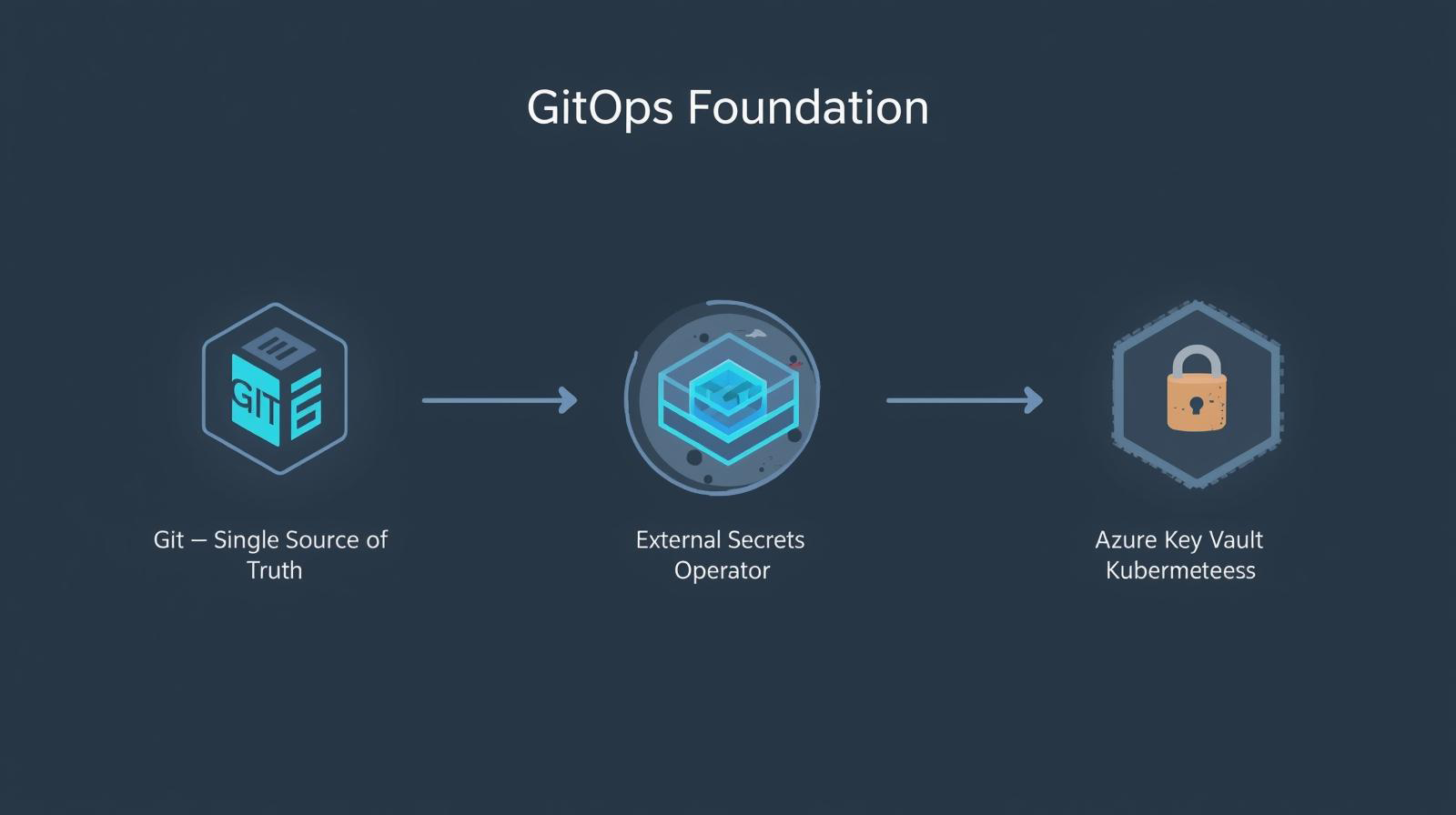
GitOps Foundation: ArgoCD and Enterprise Secrets Management
January 18, 2026
TL;DR: We’re setting up the GitOps foundation for our homelab: ArgoCD for declarative deployments, Sealed Secrets for encrypting secrets in Git, and External Secrets Operator for syncing secrets from Azure Key Vault. This creates a two-layer secrets architecture that’s both developer-friendly and enterprise-secure.
This is Part 2 of the Homelab Series. In Part 1, we built a production-grade Kubernetes cluster on macOS. Now we’re adding the “brains” — a GitOps engine that will manage all future deployments.
By the end of this post, you’ll have:
- ArgoCD watching your Git repository for changes
- Sealed Secrets encrypting sensitive data for safe Git storage
- External Secrets Operator syncing secrets from Azure Key Vault
- A dual-layer secrets architecture ready for production workloads
Why GitOps?
Before diving into tools, let’s understand the problem GitOps solves.
Traditional deployment workflow:
Developer → kubectl apply → Cluster
                ↓
         "It works on my machine"
         "Who deployed this?"
         "What version is running?"
GitOps workflow:
Developer → Git commit → ArgoCD → Cluster
                ↓
         Full audit trail
         Automated rollbacks
         Declarative state
GitOps treats Git as the single source of truth. Every change to your infrastructure goes through version control, creating an audit trail, enabling code review, and making rollbacks trivial.
GitOps Principles
| Principle | Traditional | GitOps |
|---|---|---|
| Declarative | Imperative scripts | YAML manifests |
| Versioned | “Latest” images | Git commits |
| Automated | Manual kubectl | Continuous sync |
| Self-healing | Manual intervention | Automatic reconciliation |
Architecture Overview
Here’s what we’re building:
graph TB
    subgraph git["Git Repository"]
        manifests["Kubernetes Manifests"]
        sealed["SealedSecrets
(encrypted)"]
    end

    subgraph cluster["Kubernetes Cluster"]
        subgraph argocd["ArgoCD"]
            server["API Server"]
            repo["Repo Server"]
            controller["Application Controller"]
        end

        subgraph secrets["Secrets Management"]
            ss["Sealed Secrets
Controller"]
            eso["External Secrets
Operator"]
        end

        subgraph azure["External"]
            kv["Azure Key Vault"]
        end

        apps["Applications"]
        k8ssecrets["K8s Secrets"]
    end

    manifests -->|"sync"| controller
    sealed -->|"decrypt"| ss
    ss --> k8ssecrets
    eso -->|"fetch"| kv
    eso --> k8ssecrets
    k8ssecrets --> apps
The Two-Layer Secrets Strategy
Why two secrets tools? They solve different problems:
| Layer | Tool | Use Case | Flow |
|---|---|---|---|
| Bootstrap | Sealed Secrets | Initial setup, Git-stored secrets | Git → SealedSecret → Secret |
| Runtime | External Secrets | Dynamic secrets, rotation, compliance | Key Vault → ExternalSecret → Secret |
Sealed Secrets lets you commit encrypted secrets to Git — perfect for bootstrapping (ArgoCD credentials, initial configs).
External Secrets connects to enterprise vaults (Azure Key Vault, AWS Secrets Manager, HashiCorp Vault) — perfect for production secrets that need rotation, auditing, and compliance.
Deep Dive: ArgoCD
ArgoCD is a declarative GitOps continuous delivery tool for Kubernetes. It’s a CNCF graduated project and the de facto standard for Kubernetes GitOps.
How ArgoCD Works
sequenceDiagram
    participant Dev as Developer
    participant Git as Git Repository
    participant Argo as ArgoCD
    participant K8s as Kubernetes

    Dev->>Git: Push manifest changes
    Git-->>Argo: Webhook notification
    Argo->>Git: Fetch manifests
    Argo->>K8s: Compare desired vs actual
    alt Drift detected
        Argo->>K8s: Sync (apply manifests)
        Argo-->>Dev: Notification (Slack, etc.)
    end
    loop Every 3 minutes
        Argo->>Git: Poll for changes
        Argo->>K8s: Reconcile state
    end
Key concepts:
| Concept | Description |
|---|---|
| Application | A group of Kubernetes resources defined in Git |
| Project | A logical grouping of Applications with access controls |
| Sync | The process of applying Git manifests to the cluster |
| Refresh | Checking Git for new commits |
| Health | Status of deployed resources (Healthy, Degraded, Progressing) |
ArgoCD Components
argocd-server          # API server, UI, CLI interface
argocd-repo-server     # Git operations, manifest rendering
argocd-application-controller  # Reconciliation loop
argocd-dex-server      # SSO/OIDC integration (optional)
argocd-redis           # Caching layer
argocd-applicationset-controller  # Dynamic Application generation
Why ArgoCD Over Alternatives?
| Feature | ArgoCD | Flux | Jenkins X |
|---|---|---|---|
| UI | Rich web UI | CLI-focused | Basic |
| Multi-cluster | Built-in | Add-on | Complex |
| RBAC | Fine-grained | Basic | Varies |
| Helm support | Native | Native | Plugin |
| Rollbacks | One-click | Manual | Manual |
| CNCF status | Graduated | Graduated | Sandbox |
ArgoCD’s UI alone makes it worth choosing for teams that need visibility into deployment state.
Deep Dive: Sealed Secrets
Sealed Secrets solves the “secrets in Git” problem. Normal Kubernetes Secrets are just base64-encoded — anyone with repo access can decode them. Sealed Secrets uses asymmetric encryption.
How Sealed Secrets Works
sequenceDiagram
    participant Dev as Developer
    participant Kubeseal as kubeseal CLI
    participant Git as Git Repository
    participant Controller as Sealed Secrets Controller
    participant K8s as Kubernetes

    Note over Controller: Holds private key
    Dev->>Kubeseal: kubeseal < secret.yaml
    Kubeseal->>Controller: Fetch public certificate
    Kubeseal->>Kubeseal: Encrypt with public key
    Kubeseal->>Dev: SealedSecret YAML
    Dev->>Git: Commit SealedSecret
    Git-->>Controller: ArgoCD syncs manifest
    Controller->>Controller: Decrypt with private key
    Controller->>K8s: Create Kubernetes Secret
The security model:
- Controller generates a key pair on first install (RSA 4096-bit)
- Public key is freely available (used by
kubesealCLI) - Private key stays in the cluster (never leaves)
- SealedSecrets are cluster-specific — can’t decrypt on a different cluster
Key Points
| Aspect | Details |
|---|---|
| Encryption | RSA-OAEP + AES-256-GCM |
| Key rotation | Automatic (30 days default), old keys retained for decryption |
| Scope | Cluster-wide or namespace-specific |
| Backup | Export controller’s private key for disaster recovery |
When to Use Sealed Secrets
Good for:
- Bootstrap secrets (ArgoCD repo credentials)
- Secrets that rarely change
- Secrets you want version-controlled
- Simple setups without external vaults
Not ideal for:
- Secrets requiring rotation
- Compliance-heavy environments (need audit trails)
- Multi-cluster deployments (each cluster has different keys)
Deep Dive: External Secrets Operator
External Secrets Operator (ESO) synchronizes secrets from external APIs into Kubernetes. It supports 20+ providers including Azure Key Vault, AWS Secrets Manager, HashiCorp Vault, GCP Secret Manager, and more.
How External Secrets Works
sequenceDiagram
    participant ESO as External Secrets Operator
    participant Store as ClusterSecretStore
    participant KV as Azure Key Vault
    participant K8s as Kubernetes

    Note over ESO: Watches ExternalSecret resources
    ESO->>Store: Get provider configuration
    Store->>KV: Authenticate (Service Principal)
    KV-->>Store: Auth token
    ESO->>KV: Fetch secret value
    KV-->>ESO: Secret data
    ESO->>K8s: Create/Update Kubernetes Secret

    loop Every refreshInterval
        ESO->>KV: Check for updates
        alt Secret changed
            ESO->>K8s: Update Kubernetes Secret
        end
    end
Key resources:
| Resource | Scope | Purpose |
|---|---|---|
SecretStore | Namespace | Provider config for one namespace |
ClusterSecretStore | Cluster-wide | Provider config for all namespaces |
ExternalSecret | Namespace | Maps external secret → K8s Secret |
ClusterExternalSecret | Cluster-wide | Creates ExternalSecrets in multiple namespaces |
Why External Secrets Over Alternatives?
| Feature | External Secrets | Vault Agent | CSI Driver |
|---|---|---|---|
| Standard K8s Secrets | Yes | No (files) | No (files) |
| Multi-provider | 20+ | Vault only | Vault only |
| No sidecar needed | Yes | No | No |
| GitOps friendly | Yes | Partial | Partial |
| Secret rotation | Built-in | Manual | Manual |
ESO creates native Kubernetes Secrets — existing apps work without modification.
Deep Dive: Azure Key Vault
Azure Key Vault is Microsoft’s cloud-based secrets management service. It provides:
- Secrets: Store and manage sensitive strings (passwords, API keys, connection strings)
- Keys: Cryptographic keys for encryption operations
- Certificates: Manage SSL/TLS certificates
Why Azure Key Vault?
| Feature | Benefit |
|---|---|
| FIPS 140-2 Level 2 | Hardware security module (HSM) backed |
| Audit logging | Full access history via Azure Monitor |
| RBAC integration | Azure AD authentication |
| Soft delete | Recover accidentally deleted secrets |
| Purge protection | Prevent permanent deletion for compliance |
| Geo-replication | High availability across regions |
Authentication Methods
| Method | Use Case | Complexity |
|---|---|---|
| Service Principal | Non-Azure K8s clusters | Medium |
| Managed Identity | Azure VMs, AKS | Low |
| Workload Identity | AKS with Azure AD | Low |
For our homelab (non-Azure cluster), we use Service Principal authentication:
# Create Service Principal
az ad sp create-for-rbac --name "external-secrets-sp" --skip-assignment

# Grant Key Vault access
az keyvault set-policy \
  --name "kv-your-vault" \
  --spn "<client-id>" \
  --secret-permissions get list
Key Vault Pricing
| Tier | Secrets Operations | HSM Keys |
|---|---|---|
| Standard | $0.03/10K operations | No |
| Premium | $0.03/10K operations | Yes ($1/key/month) |
For most use cases, Standard tier is sufficient. Premium adds HSM-backed keys for compliance requirements.
Workshop: Installing the GitOps Stack
Time for hands-on implementation. We’ll install each component and wire them together.
Prerequisites
Ensure your cluster from Part 1 is running:
# Verify cluster is accessible
kubectl get nodes

# Should show 4 nodes in Ready state
Required tools:
# Install kubeseal CLI (for Sealed Secrets)
brew install kubeseal

# Verify
kubeseal --version
Step 1: Install ArgoCD
# Using Makefile target
make argocd-install
Or manually:
# Add Helm repo
helm repo add argo https://argoproj.github.io/argo-helm
helm repo update

# Create namespace
kubectl create namespace argocd

# Install ArgoCD
helm upgrade --install argocd argo/argo-cd \
  --namespace argocd \
  --set "server.service.type=ClusterIP" \
  --set "server.insecure=true" \
  --set "applicationSet.enabled=true" \
  --timeout 10m \
  --wait
Verify installation:
# Check pods are running
kubectl get pods -n argocd

# Expected output (all Running):
# argocd-application-controller-0     1/1     Running
# argocd-applicationset-controller-*  1/1     Running
# argocd-dex-server-*                 1/1     Running
# argocd-notifications-controller-*   1/1     Running
# argocd-redis-*                      1/1     Running
# argocd-repo-server-*                1/1     Running
# argocd-server-*                     1/1     Running
Access the UI:
# Get admin password
make argocd-password

# Port-forward to localhost
make argocd-port-forward

# Open browser: http://localhost:8080
# Username: admin
# Password: (from above command)
Step 2: Install Sealed Secrets
# Using Makefile target
make sealed-secrets-install
Or manually:
# Add Helm repo
helm repo add sealed-secrets https://bitnami-labs.github.io/sealed-secrets
helm repo update

# Create namespace
kubectl create namespace sealed-secrets

# Install Sealed Secrets controller
helm upgrade --install sealed-secrets sealed-secrets/sealed-secrets \
  --namespace sealed-secrets \
  --set fullnameOverride=sealed-secrets
Verify installation:
kubectl get pods -n sealed-secrets

# Expected: sealed-secrets-* in Running state
Fetch the public certificate:
make sealed-secrets-cert

# Or manually:
kubeseal --fetch-cert \
  --controller-name=sealed-secrets \
  --controller-namespace=sealed-secrets
Save this certificate for offline sealing (useful in CI/CD pipelines).
Step 3: Install External Secrets Operator
# Using Makefile target
make external-secrets-install
Or manually:
# Add Helm repo
helm repo add external-secrets https://charts.external-secrets.io
helm repo update

# Create namespace
kubectl create namespace external-secrets

# Install External Secrets Operator
helm upgrade --install external-secrets external-secrets/external-secrets \
  --namespace external-secrets \
  --set installCRDs=true \
  --set fullnameOverride=external-secrets
Verify installation:
kubectl get pods -n external-secrets

# Expected output:
# external-secrets-*                  1/1     Running
# external-secrets-cert-controller-*  1/1     Running
# external-secrets-webhook-*          1/1     Running
Step 4: Configure Azure Key Vault Integration
4.1. Create Service Principal (if not exists):
# Create Service Principal
az ad sp create-for-rbac --name "external-secrets-homelab" --skip-assignment

# Output:
# {
#   "appId": "xxxxxxxx-xxxx-xxxx-xxxx-xxxxxxxxxxxx",      <- AZURE_CLIENT_ID
#   "displayName": "external-secrets-homelab",
#   "password": "xxxxxxxxxxxxxxxxxxxxxxxxxxxxxxxx",        <- AZURE_CLIENT_SECRET
#   "tenant": "xxxxxxxx-xxxx-xxxx-xxxx-xxxxxxxxxxxx"       <- AZURE_TENANT_ID
# }
4.2. Grant Key Vault permissions:
# Grant get and list permissions on secrets
az keyvault set-policy \
  --name "kv-dt-dev-pc-001" \
  --spn "<client-id>" \
  --secret-permissions get list
4.3. Update .env file:
# Edit .env with your values
AZURE_TENANT_ID=your-tenant-id
AZURE_KEY_VAULT_NAME=your-vault-name
AZURE_KEY_VAULT_URL=https://your-vault-name.vault.azure.net/
AZURE_CLIENT_ID=your-client-id
AZURE_CLIENT_SECRET=your-client-secret
4.4. Create Sealed Secret for Azure credentials:
# This creates extras/local/external-secrets/azure-keyvault-credentials.yaml
make azure-credentials-create
This command:
- Creates a temporary Kubernetes Secret with Azure credentials
- Encrypts it using the Sealed Secrets controller’s public key
- Saves the SealedSecret to
extras/local/external-secrets/ - Deletes the temporary plain-text secret
4.5. Apply the credentials:
# Apply the SealedSecret
make azure-credentials-apply

# Verify the Secret was created
kubectl get secret azure-keyvault-credentials -n external-secrets
4.6. Apply the ClusterSecretStore:
The ClusterSecretStore manifest is in extras/local/external-secrets/azure-keyvault-store.yaml.
Apply the ClusterSecretStore:
# Apply Azure Key Vault ClusterSecretStore
make azure-store-apply

# Verify
kubectl get clustersecretstore azure-keyvault-store
4.7. Test the connection:
make azure-test

# Expected output shows "Valid" status
Step 5: Test End-to-End
Let’s verify the entire flow by syncing a secret from Azure Key Vault.
Create a test secret in Azure:
az keyvault secret set \
  --vault-name "kv-dt-dev-pc-001" \
  --name "test-homelab-secret" \
  --value "Hello from Azure Key Vault!"
Create an ExternalSecret:
cat <<EOF | kubectl apply -f -
apiVersion: external-secrets.io/v1
kind: ExternalSecret
metadata:
  name: test-azure-secret
  namespace: default
spec:
  refreshInterval: 1m
  secretStoreRef:
    name: azure-keyvault-store
    kind: ClusterSecretStore
  target:
    name: test-azure-secret
    creationPolicy: Owner
  data:
    - secretKey: message
      remoteRef:
        key: test-homelab-secret
EOF
Verify the secret was synced:
# Check ExternalSecret status
kubectl get externalsecret test-azure-secret

# Decode the secret value
kubectl get secret test-azure-secret -o jsonpath='{.data.message}' | base64 -d

# Expected: Hello from Azure Key Vault!
Clean up test resources:
kubectl delete externalsecret test-azure-secret
az keyvault secret delete --vault-name "kv-dt-dev-pc-001" --name "test-homelab-secret"
Step 6: Configure ArgoCD Repository (SSH via Azure Key Vault)
Now let’s configure ArgoCD to access your Git repository using an SSH key stored in Azure Key Vault. This demonstrates the full External Secrets workflow for a real use case.
6.1. Generate SSH key pair:
ssh-keygen -t ed25519 -C "argocd@cd-homelab" -f /tmp/argocd-repo-key -N ""
6.2. Store private key in Azure Key Vault:
az keyvault secret set \
  --vault-name "kv-dt-dev-pc-001" \
  --name "argocd-cd-homelab-ssh-key" \
  --file /tmp/argocd-repo-key
6.3. Add public key as GitHub deploy key:
# Using GitHub CLI
gh repo deploy-key add /tmp/argocd-repo-key.pub \
  --repo your-username/your-repo \
  --title "ArgoCD cd-homelab"

# Verify
gh repo deploy-key list --repo your-username/your-repo
6.4. Create ExternalSecret for ArgoCD:
Create extras/local/argocd/repo-cd-homelab.yaml:
apiVersion: external-secrets.io/v1
kind: ExternalSecret
metadata:
  name: argocd-repo-cd-homelab
  namespace: argocd
spec:
  refreshInterval: 1h
  secretStoreRef:
    name: azure-keyvault-store
    kind: ClusterSecretStore
  target:
    name: argocd-repo-cd-homelab
    creationPolicy: Owner
    template:
      metadata:
        labels:
          argocd.argoproj.io/secret-type: repository
      data:
        type: git
        url: git@github.com:your-username/your-repo.git
        sshPrivateKey: "{{ .sshPrivateKey }}"
  data:
    - secretKey: sshPrivateKey
      remoteRef:
        key: argocd-cd-homelab-ssh-key
6.5. Apply and verify:
# Apply ExternalSecret
kubectl apply -f extras/local/argocd/repo-cd-homelab.yaml

# Verify sync status
kubectl get externalsecret -n argocd

# Check repository secret was created
kubectl get secret -n argocd -l argocd.argoproj.io/secret-type=repository
6.6. Clean up local keys:
rm -f /tmp/argocd-repo-key /tmp/argocd-repo-key.pub
The SSH key now lives securely in Azure Key Vault and is automatically synced to your cluster. If you rotate the key in Key Vault, External Secrets will update it within the refresh interval (1 hour).
Quick Reference: Commands
# Full bootstrap (ArgoCD + Secrets management)
make bootstrap-all

# Individual installations
make argocd-install
make sealed-secrets-install
make external-secrets-install

# Status checks
make bootstrap-status
make argocd-status
make sealed-secrets-status
make external-secrets-status

# ArgoCD access
make argocd-password       # Get admin password
make argocd-port-forward   # Open UI at localhost:8080

# Sealed Secrets
make sealed-secrets-cert   # Get public certificate

# Azure Key Vault
make azure-credentials-create  # Create sealed credentials
make azure-credentials-apply   # Apply to cluster
make azure-store-apply         # Apply ClusterSecretStore
make azure-test                # Test connection

# Uninstall
make argocd-uninstall
make sealed-secrets-uninstall
make external-secrets-uninstall
Troubleshooting
ArgoCD pods not starting
Symptom: Pods stuck in Pending or CrashLoopBackOff
# Check events
kubectl describe pod -n argocd <pod-name>

# Common cause: resource constraints
# Solution: Increase Podman machine resources
podman machine stop
podman machine set --cpus 8 --memory 12288
podman machine start
Sealed Secrets not decrypting
Symptom: SealedSecret applied but no Secret created
# Check controller logs
kubectl logs -n sealed-secrets -l app.kubernetes.io/name=sealed-secrets

# Common causes:
# 1. SealedSecret created for different cluster (re-seal with current cert)
# 2. Namespace mismatch (SealedSecrets are namespace-bound by default)
External Secrets not syncing
Symptom: ExternalSecret shows SecretSyncedError
# Check ExternalSecret status
kubectl describe externalsecret <name>

# Check ESO logs
kubectl logs -n external-secrets -l app.kubernetes.io/name=external-secrets

# Common causes:
# 1. Azure credentials invalid (re-create sealed secret)
# 2. Service Principal lacks permissions (az keyvault set-policy)
# 3. Secret doesn't exist in Key Vault
Azure authentication fails
Symptom: ClusterSecretStore shows InvalidProviderConfig
# Verify credentials are correctly decoded
kubectl get secret azure-keyvault-credentials -n external-secrets -o yaml

# Test Azure CLI auth manually
az login --service-principal \
  -u "<client-id>" \
  -p "<client-secret>" \
  --tenant "<tenant-id>"

az keyvault secret list --vault-name "<vault-name>"
Bonus: ApplicationSets for Infrastructure Components
Now that ArgoCD is running, let’s see how to manage infrastructure components like CSI drivers using ApplicationSets. This pattern provides a declarative, GitOps-native way to deploy Helm charts.
What is an ApplicationSet?
An ApplicationSet is an ArgoCD resource that generates multiple Applications from a single template. It’s perfect for:
- Multi-cluster deployments: Deploy the same app to dev, staging, prod
- Multi-environment configurations: Same chart, different values per environment
- Infrastructure components: CSI drivers, ingress controllers, monitoring stacks
ArgoCD Projects
Before creating ApplicationSets, we need an ArgoCD AppProject to group related applications:
# bootstrap/argocd-projects/platform-storage.yaml
apiVersion: argoproj.io/v1alpha1
kind: AppProject
metadata:
  name: platform-storage
  namespace: argocd
spec:
  description: Platform storage (CSI drivers, StorageClasses)
  sourceRepos:
    - '*'
  destinations:
    - namespace: '*'
      server: '*'
  clusterResourceWhitelist:
    - group: '*'
      kind: '*'
Apply the project:
kubectl apply -f bootstrap/argocd-projects/platform-storage.yaml
ApplicationSet for NFS CSI Driver
Here’s the ApplicationSet that manages the NFS CSI driver:
# applicationsets/csi-driver-nfs.yaml
apiVersion: argoproj.io/v1alpha1
kind: ApplicationSet
metadata:
  name: csi-driver-nfs
  namespace: argocd
spec:
  goTemplate: true
  goTemplateOptions: ["missingkey=error"]
  generators:
    - list:
        elements:
          - name: homelab
            cluster: https://kubernetes.default.svc
            namespace: kube-system
            helmRevision: "v4.*.*"
            env: homelab
            region: local
            type: homelab
  template:
    metadata:
      name: csi-driver-nfs-{{ .name }}
      labels:
        app.kubernetes.io/name: csi-driver-nfs
        env: "{{ .env }}"
        region: "{{ .region }}"
      annotations:
        argocd.argoproj.io/sync-wave: "-2"
    spec:
      project: platform-storage
      sources:
        - repoURL: https://raw.githubusercontent.com/kubernetes-csi/csi-driver-nfs/master/charts
          chart: csi-driver-nfs
          targetRevision: "{{ .helmRevision }}"
          helm:
            releaseName: csi-driver-nfs
            valueFiles:
              - $values/values/csi-driver-nfs/common/values.yaml
              - $values/values/csi-driver-nfs/{{ .region }}/{{ .env }}/values.yaml
        - repoURL: git@github.com:tomasz-wostal-eu/cd-homelab.git
          targetRevision: v0.0.2
          ref: values
      destination:
        server: "{{ .cluster }}"
        namespace: "{{ .namespace }}"
      syncPolicy:
        automated:
          prune: true
          selfHeal: true
Key concepts:
| Element | Purpose |
|---|---|
generators.list | Defines environments (homelab, dev, prod) |
goTemplate: true | Enables Go templating for dynamic values |
sources (multi-source) | Combines Helm chart with values from Git |
$values reference | Points to the Git repo with values files |
syncPolicy.automated | Auto-sync on Git changes |
Values Structure
The values are organized by environment:
values/
└── csi-driver-nfs/
    ├── common/
    │   └── values.yaml           # Shared settings
    └── local/
        └── homelab/
            └── values.yaml       # Environment-specific (StorageClass)
Common values (values/csi-driver-nfs/common/values.yaml):
controller:
  replicas: 1
  runOnControlPlane: false

node:
  livenessProbe:
    healthPort: 29653
Environment values (values/csi-driver-nfs/local/homelab/values.yaml):
storageClasses:
  - name: nfs-rwx
    parameters:
      server: 192.168.55.115
      share: /volume1/k8s-volumes
    reclaimPolicy: Delete
    volumeBindingMode: Immediate
    mountOptions:
      - nfsvers=4.1
Deploy the ApplicationSet
# Apply the ApplicationSet
kubectl apply -f applicationsets/csi-driver-nfs.yaml

# Watch ArgoCD create the Application
kubectl get applications -n argocd -w

# Verify in ArgoCD UI
make argocd-port-forward
# Open http://localhost:8080
ArgoCD will:
- Clone the Helm chart from kubernetes-csi
- Merge values from common + environment-specific files
- Deploy to
kube-systemnamespace - Create the
nfs-rwxStorageClass automatically
ApplicationSets for Secrets Management
The same pattern applies to Sealed Secrets and External Secrets. Here’s the complete setup:
ArgoCD Projects:
# Apply both projects
kubectl apply -f bootstrap/argocd-projects/platform-core.yaml
kubectl apply -f bootstrap/argocd-projects/platform-storage.yaml
Deploy all ApplicationSets:
kubectl apply -f applicationsets/sealed-secrets.yaml
kubectl apply -f applicationsets/external-secrets.yaml
kubectl apply -f applicationsets/csi-driver-nfs.yaml
Values structure for the entire stack:
values/
├── csi-driver-nfs/
│   ├── common/values.yaml           # Controller replicas, probes
│   └── local/homelab/values.yaml    # StorageClass for Synology NAS
├── sealed-secrets/
│   ├── common/values.yaml           # Security context, metrics
│   └── local/homelab/values.yaml    # Resource limits, key rotation
└── external-secrets/
    ├── common/values.yaml           # CRDs, webhook, cert controller
    └── local/homelab/values.yaml    # Resource limits, refresh interval
Key configuration in values:
| Component | Common Values | Environment Values |
|---|---|---|
| csi-driver-nfs | Controller replicas, probes | StorageClass (NAS IP, share) |
| sealed-secrets | Security context, fullnameOverride | Resource limits, key renewal |
| external-secrets | CRDs, webhook config, metrics | Resource limits |
This keeps ApplicationSets generic and reusable—all environment-specific configuration lives in values files.
Benefits of This Pattern
| Aspect | Manual Helm | ApplicationSet |
|---|---|---|
| Drift detection | None | Continuous |
| Rollback | Manual helm rollback | One-click in UI |
| Multi-env | Separate scripts | Single template |
| Audit trail | None | Git history |
| Self-healing | None | Automatic |
This pattern scales beautifully. Add a new environment? Just add an element to the generator list.
Summary
We’ve built a solid GitOps foundation:
| Component | Purpose | Status |
|---|---|---|
| ArgoCD | GitOps engine, declarative deployments | Installed |
| Sealed Secrets | Encrypt secrets for Git storage | Installed |
| External Secrets | Sync secrets from Azure Key Vault | Installed |
| Azure Key Vault | Enterprise secrets management | Connected |
| ApplicationSets | Declarative infrastructure deployment | Configured |
The two-layer secrets strategy:
- Sealed Secrets for bootstrap and Git-stored secrets
- External Secrets for production secrets with rotation and audit trails
What we’ve learned:
- Why GitOps matters and how ArgoCD implements it
- How Sealed Secrets enables “secrets in Git” safely
- How External Secrets bridges Kubernetes and cloud vaults
- Azure Key Vault basics and authentication methods
- How ApplicationSets enable declarative infrastructure deployment
Coming up in Part 3: 1- Ingress controller deployment via ApplicationSet
- Observability stack (Prometheus, Grafana, Loki)
- Automated notifications and alerting
All code and configuration from this post is available in the cd-homelab repository.